Garage C →
Cardiology
A cross-campus example using the real route engine.
Try this route (opens demo in a new tab)
A working product you can explore
A fictional hospital. A working wayfinding system. Try a route, search the directory, and explore the campus maps.
Demonstration only. Riverview is not a customer case study, and its routes must not be used for a real hospital visit.
A cross-campus example using the real route engine.
Try this route (opens demo in a new tab)A shorter route from a known indoor starting point.
Try this route (opens demo in a new tab)See how a room-number range maps to a destination.
Try this route (opens demo in a new tab)Check in before the destination
Answer the wristband question to see how check-in requirements change the first stop in this fictional example.
Try the lab example (opens demo in a new tab)Inside the demonstration
All screens below are captured from the Riverview app—not substitute interface mockups.
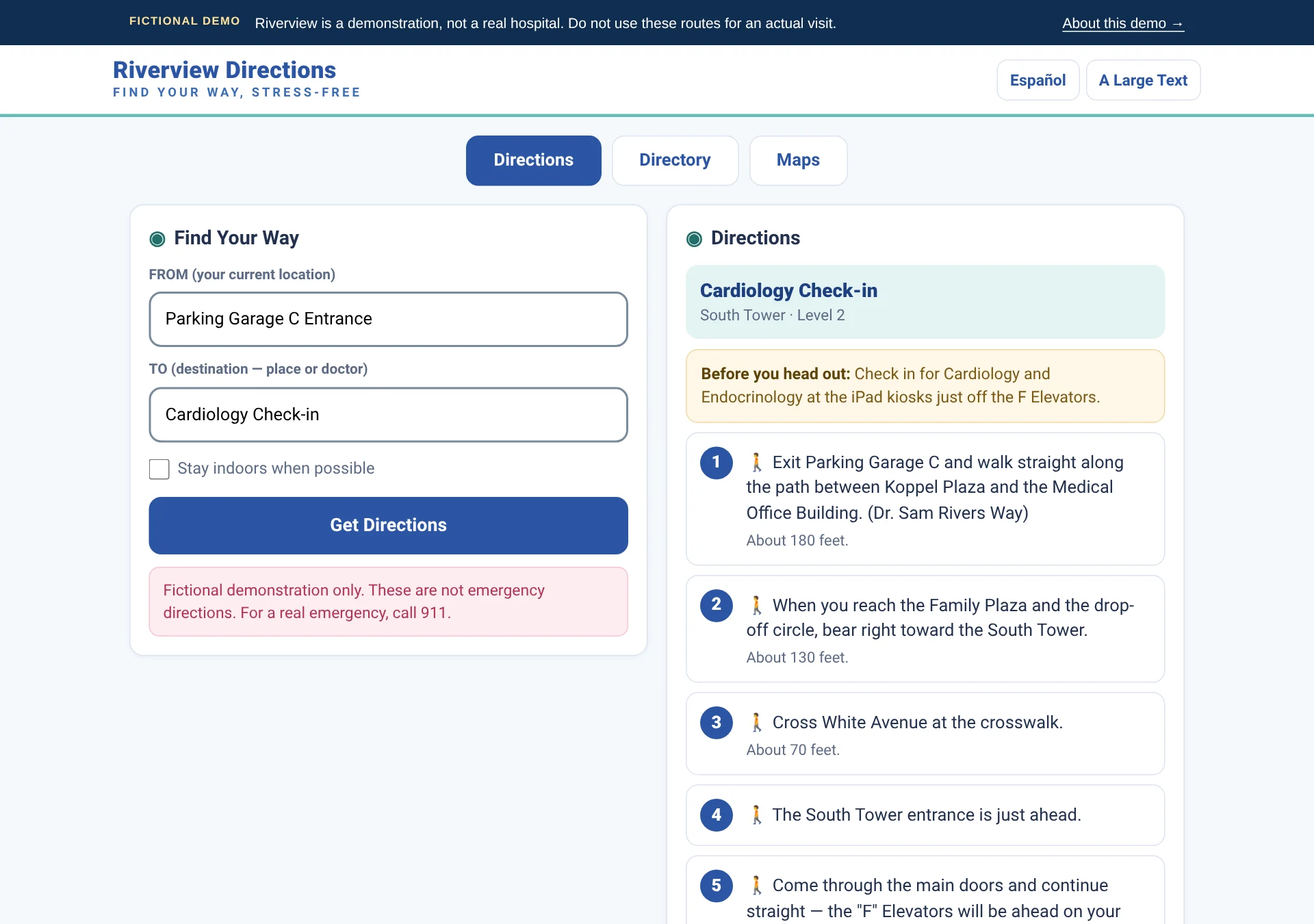
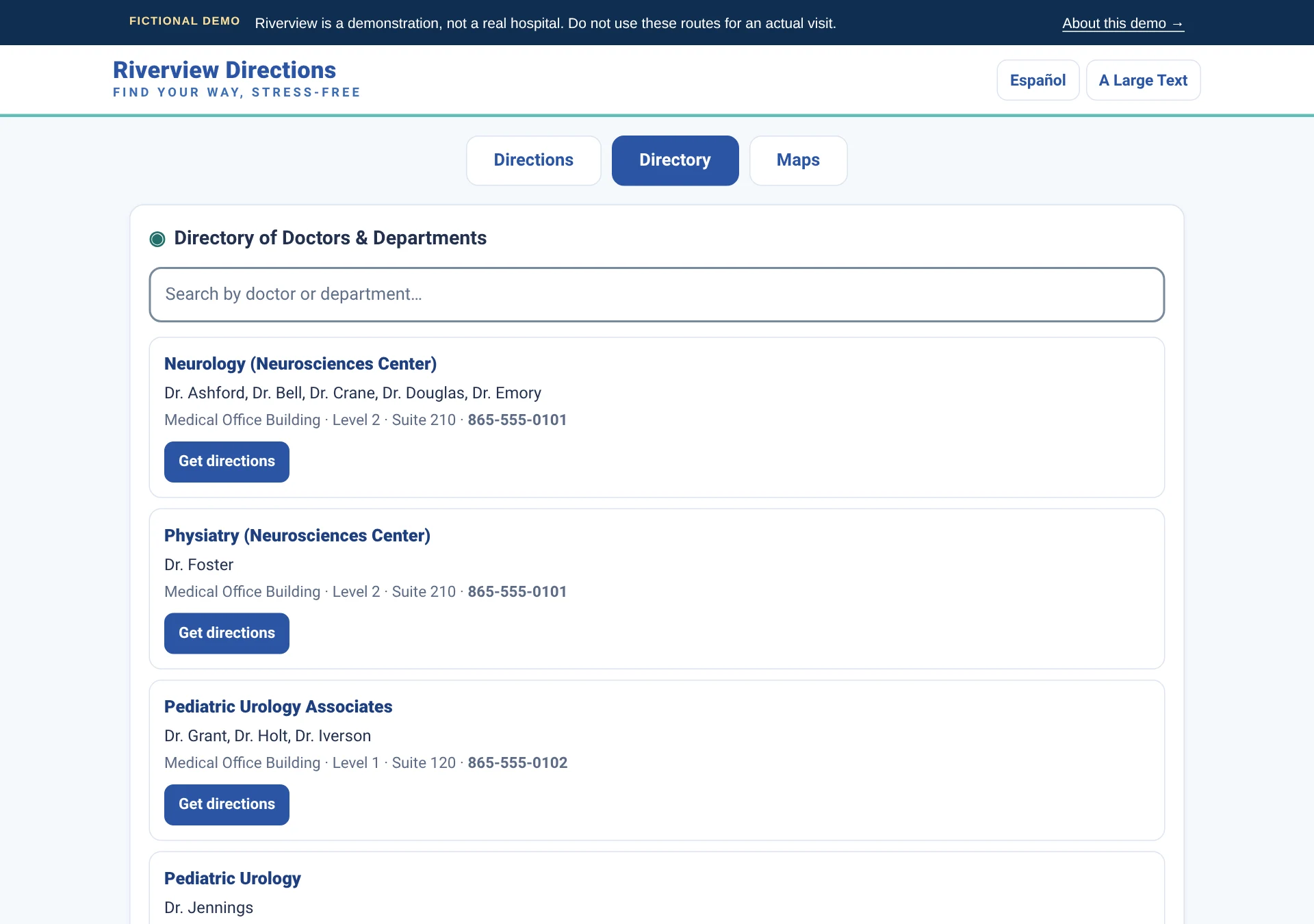
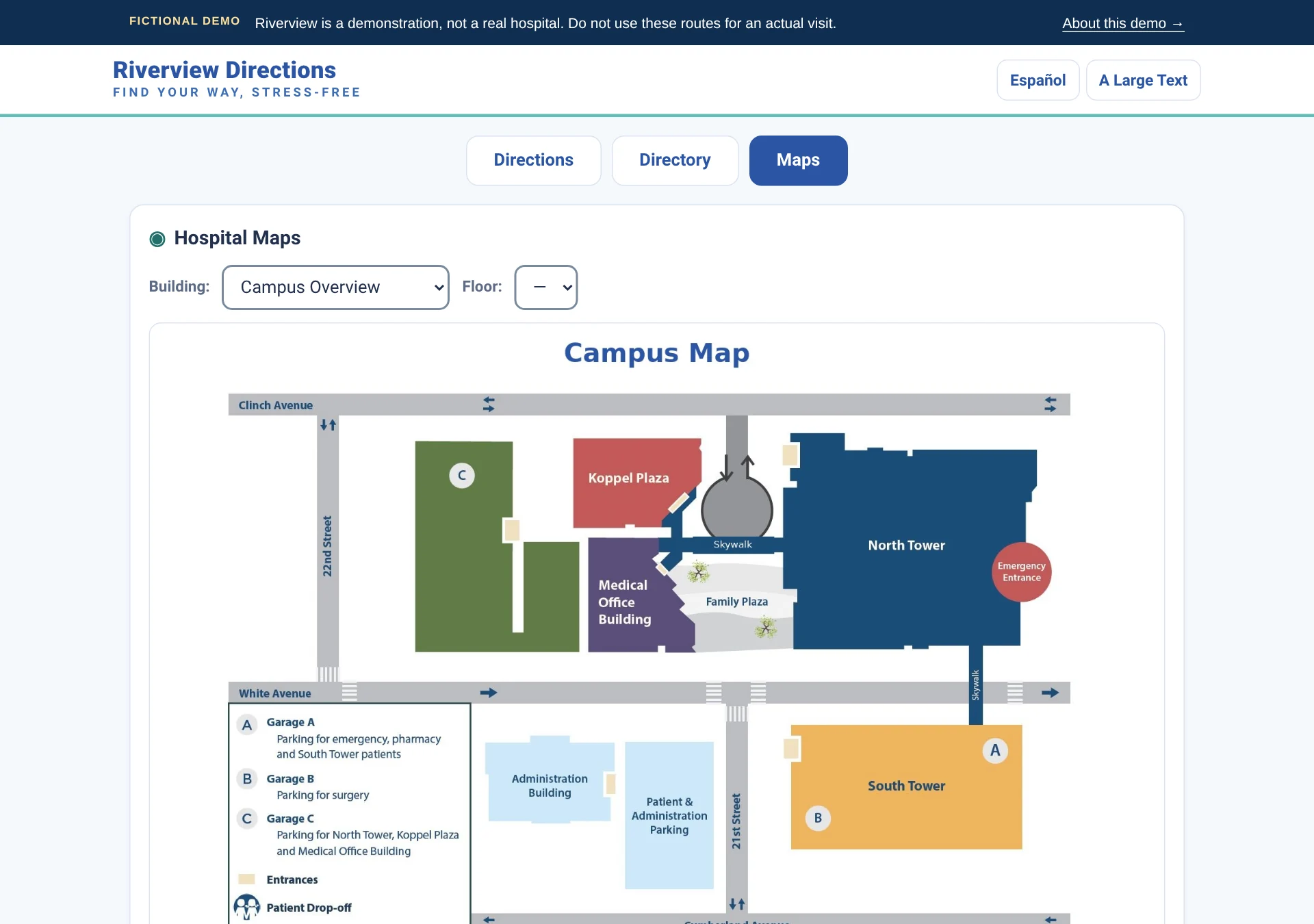
Try it like a visitor
Enter 0031 to select the Parking Garage C Entrance. A QR code can carry the same location automatically.
Try “blood draw” or “brain doctor” in the TO field, or a room number such as “215.” Review and select the named destination before following directions.
Use Español, Large Text, the Directory tab, or the Maps tab. Available maps vary by building and floor.

A clearer way forward
Tell us about your campus and the visitor journey. We’ll show you how Hospital Directions could help.
Schedule a demo today Reach out to learn more. No patient information needed.